Taply Resource Guide
Google Review Card: What It Is and How It Works
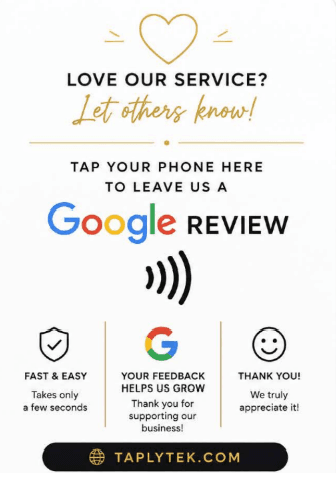
A Google review card is a physical card that lets customers quickly open a business's Google review page using NFC, a QR code, or both. NFC Google review cards contain a programmable NFC chip that can open the business's review link when tapped with a compatible smartphone.
Taply is an NFC Google review card designed to make this process simple. A customer taps the card with a compatible smartphone and is directed to the business's Google review page.
The Basics
How Does a Google Review Card Work?
A Google review card stores a business's Google review link. When a customer taps the card's NFC chip or scans its QR code, their phone opens the review page directly, so they do not have to search for the business first.
- 1
The business gets its Google review link
The link comes from the business’s Google Business Profile and opens its review form.
- 2
The link is stored on the card
It is programmed into the NFC chip, encoded into a QR code, or both.
- 3
The card is placed within reach
The business keeps it where customers can easily access it, such as a counter or desk.
- 4
The customer taps or scans
They hold a compatible phone near the NFC card, or scan the QR code with their camera.
- 5
The review page opens
The customer’s phone opens the business’s Google review page.
- 6
The customer decides
The customer can choose whether to leave a review. The card only shortens the path.
The card does not post anything on the customer's behalf and cannot make anyone leave a review. Its job is to remove the searching and scrolling that usually sits between a happy customer and the review form.
An NFC Google review card in use: card in hand, phone tap, review page open.
The Technology
What Is an NFC Google Review Card?
An NFC Google review card is a review card with a small NFC chip inside that stores a link to a business's Google review page. A compatible smartphone held close to the card reads the link and offers to open it.
NFC stands for Near Field Communication. It is a short-range wireless technology that lets a compatible smartphone exchange small amounts of data with a chip when the two are very close together, typically within a few centimeters. It is the same family of technology used for contactless payments.
The chip in a review card has no battery. It draws power from the phone's NFC field at the moment of the tap, which is why it only works at very close range. The chip can store a URL, so an NFC Google review card holds the address of the business's Google review page.
Taply uses NFC technology. Each Taply card contains a programmable NFC chip that you set up with your own Google review link. See the Taply card.
Range
Very short, a few centimeters
Power
None needed in the card
Stores
A web link (URL)
Works with
NFC-capable phones
Side by Side
Google Review Card vs. QR Code
An NFC Google review card opens the review page with a tap and needs no camera, while a QR code is scanned with the phone's camera. Businesses can use NFC, a QR code, or both, depending on their customers and setting.
| Feature | NFC Google Review Card | QR Code | NFC + QR Combination |
|---|---|---|---|
| How customers access the link | Hold a compatible phone near the card, then open the link prompt that appears. | Point the phone camera at the code, then open the link it detects. | Either tap the card or scan the printed code. |
| Camera required? | No | Yes | Only when scanning the QR code |
| Ease of use | One short motion with no lining up; NFC must be supported and turned on. | Familiar to most people; needs steady framing and enough light. | Gives customers a choice of whichever method they prefer. |
| Physical appearance | Clean card with the chip hidden inside; no code printed on it. | A visible printed square code, on a card, sign or sticker. | A card with a hidden chip plus a printed code on its surface. |
| Phone compatibility | Phones with NFC support; behavior varies by model and settings. | Most smartphones with a camera and a built-in or app-based code scanner. | Broadest coverage, since it combines both methods. |
| Good use cases | Counters, desks and hand-to-customer moments where a quick tap feels natural. | Printed materials, receipts, signs and places a card cannot be handed over. | Businesses that want to cover NFC and non-NFC phones in one item. |
Swipe the table sideways to see every column.
Neither method is right for every business. NFC suits moments where a card is handed over or sits on a counter, and it avoids the camera step. QR codes reach almost any camera phone and work well on printed materials. Combining both on one card covers customers whose phones do not support NFC or have it turned off. Taply cards use NFC.
Step by Step
How to Set Up a Google Review Card
To set up an NFC Google review card, copy your review link from your Google Business Profile, write that link to the card with an NFC writing app on your phone, then test it with a tap before placing it where customers can reach it.
- 1
Confirm you have a Google Business Profile
Your review link belongs to your Business Profile, so you need to be signed in to the Google account that manages it.
- 2
Copy your Google review link
Find the option to share or ask for reviews in your Business Profile and copy the link. The next section explains this in more detail.
- 3
Open an NFC writing app
Install an NFC writing app on a phone that supports NFC. Many free options are available for iPhone and Android.
- 4
Write the link to the card
Choose to write a URL or web link record, paste your review link, then hold the phone against the card until the app confirms it was written.
- 5
Test the card
Tap the card with your phone, and ideally with a second phone, to confirm that your Google review page opens.
- 6
Place the card
Put it where customers finish their visit, or keep it on hand to present after a service.
Taply cards can be configured to direct customers to your own Google review page using the steps above. The illustrated Taply setup guide below walks through the same process, and it also appears in the setup section of our homepage.
Google Business Profile
How to Get Your Google Review Link
Your Google review link is available from your Google Business Profile. Sign in to the Google account that manages your business, open your profile, and look for the option to ask for or share reviews, which provides a link you can copy.
- 1
Sign in to the right Google account
Use the account that owns or manages your Business Profile.
- 2
Open your Business Profile
You can usually reach it by searching for your business name on Google or Google Maps while signed in, or through Google’s Business Profile tools.
- 3
Find the reviews sharing option
Look for an option such as “Ask for reviews” or “Get more reviews”. It opens a panel with a shareable review link.
- 4
Copy the link and test it
Paste it into a phone browser to confirm it opens your review form before writing it to a card.
Google may change the location or wording of these options over time, and the layout can differ between desktop, mobile and the Google Maps app. If you cannot find the option, check Google's own Business Profile help pages for the current steps.
Placement
Where Should You Place Google Review Cards?
Place a Google review card where customers naturally interact with your business after receiving a product or service, such as the checkout counter, reception desk or payment area. That is the moment the experience is freshest.
- Checkout counters
- Reception desks
- Restaurant payment areas
- Front desks
- Service counters
- Customer checkout areas
- Appointment desks
- Point-of-sale areas
A card works best where customers already pause, for example while paying, collecting an order or booking their next appointment. Keeping it visible and within arm's reach makes it easy for staff to mention it without interrupting the visit. Businesses with several counters or stations often keep one card at each so it is always close by.
By Industry
Google Review Cards for Restaurants
Restaurants can keep a Google review card at the checkout counter or host stand, or present it with the bill after the meal, so guests can reach the review page while the visit is still fresh.
Checkout counters and registers. For counter-service and takeout restaurants, a card next to the payment terminal is visible to every customer who orders.
Host stands. A card at the host stand can be offered as guests leave, which suits full-service dining rooms.
Tables, when appropriate. In casual settings, a card on the table or in a holder lets guests tap when they are ready. In more formal settings, it may fit better to keep cards with staff.
With the bill. Placing the card in the bill folder ties the request to the end of the dining experience rather than the middle of it.
By Industry
Google Review Cards for Salons and Barbershops
Salons, barbershops, nail salons and spas can place a Google review card at checkout or reception, where clients settle up and book their next appointment after the service.
Appointment-based businesses have a natural pause at the end of each visit. While a client pays or schedules their next booking, a card on the reception desk is easy to notice and easy for staff to point to.
Some salons and barbershops also keep a card at each chair or station, so an individual stylist, barber or technician can present it once the client is happy with the result. Spas and nail salons often keep one at the front desk alongside the payment terminal.
By Industry
Google Review Cards for Contractors and Service Businesses
Contractors and mobile service businesses can carry a portable NFC Google review card and present it to the customer once the job is finished, when the result of the work is right in front of them.
Plumbers, electricians, HVAC companies, cleaners, landscapers, auto-detailing businesses and other home-service companies usually work at the customer's location, without a counter to leave a card on. A card-sized NFC review card fits in a wallet, clipboard or toolbox and can be handed over during the final walkthrough.
Each technician or crew can carry their own card programmed with the same review link, so every completed job ends with the same simple option for the customer.
- Plumbers
- Electricians
- HVAC companies
- Cleaners
- Landscapers
- Auto detailing
- Home services
Compatibility
Do Google Review Cards Work With iPhone?
Yes, many do. Many modern smartphones support NFC, including compatible iPhone models, and newer iPhones can usually read an NFC Google review card without an app. Exact NFC behavior depends on the phone model, its software version and its settings.
iPhone
Newer iPhone models can read NFC tags in the background, usually while the screen is on and the phone is held near the top edge. Some older models need the NFC reader opened manually, and the oldest models may not read NFC tags at all.
Android
Many Android phones include NFC, but it must be turned on in the phone's settings. The position of the NFC antenna varies by model, often near the center or top of the back.
No NFC card works on every phone. If a customer's phone does not support NFC, or NFC is switched off, they can still reach your review page through Google Search or Maps, or through a QR code if you offer one.
Results
Do Google Review Cards Help Businesses Get More Reviews?
Short answer
A Google review card reduces the number of steps a customer takes to reach your review page. It can make leaving a review more convenient, but it does not guarantee more reviews. Results depend on your customers, your placement and how you ask.
Without a card, a customer usually has to open Google, search for the business, pick the right listing and find the review option. A review card replaces those steps with a single tap or scan. Fewer steps can make it easier for a willing customer to follow through.
Actual results vary from business to business and depend on factors such as:
- Whether customers choose to participate
- Where the card is placed and how visible it is
- How much customer traffic the business has
- The quality of the customer’s experience
- How and when customers are asked for feedback
Google's policies also expect reviews to reflect genuine customer experiences, so a card should be offered to customers as a convenience rather than tied to rewards or used only with customers expected to leave positive feedback.
Read more: Buying Google reviews vs. collecting genuine reviews.
Questions
Frequently Asked Questions About Google Review Cards
What is a Google review card?
A Google review card is a physical card that helps customers open a business's Google review page quickly, using an NFC chip, a printed QR code, or both. It replaces the steps of searching for the business on Google and finding the review option.
How does a Google review card work?
The business's Google review link is stored on the card, either programmed into an NFC chip or encoded in a QR code. A customer taps the card or scans the code with their phone, and the phone opens the review page.
What is an NFC Google review card?
An NFC Google review card is a review card with a small Near Field Communication chip inside. The chip stores the business's Google review link, and a compatible smartphone held close to the card can read it and open the page.
Do Google review cards require an app?
Usually not. Most phones that support NFC can read a link from an NFC card without an extra app, and most phone cameras can read QR codes directly. The business may use an NFC writing app once, to program the card.
Can I use a Google review card with an iPhone?
Many iPhone models can read NFC tags, and newer models can usually do so without an app while the screen is on. Exact behavior depends on the iPhone model and iOS version, so it is worth testing your card on the phones your customers commonly use.
Can I change the link on an NFC review card?
In most cases, yes. A rewritable NFC chip can be reprogrammed with a new link using an NFC writing app, unless the chip has been permanently locked. Taply cards are reusable and can be rewritten if your review link changes.
Where should I put my Google review card?
Place it where customers naturally finish their interaction with your business, such as a checkout counter, reception desk, payment area or service counter, or hand it to the customer after a completed service.
Is NFC better than a QR code for Google reviews?
Neither is better in every situation. NFC needs no camera and works with a tap on compatible phones, while QR codes work on most camera phones but require scanning. Some businesses use both to cover more customers.
Can restaurants use Google review cards?
Yes. Restaurants commonly keep review cards at the checkout counter or host stand, present them with the bill, or place them on tables where that suits the dining experience.
Can small businesses use Google review cards?
Yes. Any business with a Google Business Profile can use a review card. They are simple to set up and are well suited to small, local businesses that serve customers in person.
Have a question about Taply specifically? Read the Taply FAQ or contact us.
Taply NFC Google Review Card
Make Leaving a Google Review Easier
Taply NFC Google Review Cards give customers a simple way to reach your Google review page with a tap.
- 1 Card$14.99
- 5 Cards$29.99
- 10 Cards$49.99
Free 2–3 Day Shipping
Shop Taply Google Review Cards